Now live in Kenya

Order food
from your
table. Instantly.

Guests scan a QR code on their table, browse a beautiful digital menu and order — no waiters, no waiting, no app to install.

Kenya's leading QR code restaurant ordering system — built for hotels, restaurants and cafés in Nairobi, Mombasa and across Kenya. Free digital menu management, live order tracking and M-Pesa payment integration in one app.

Free
Forever for guests
QR
Scan & order
M-Pesa
Payment ready

How it works

From table to kitchen in seconds

Six simple steps — no training needed, no hardware required.

1

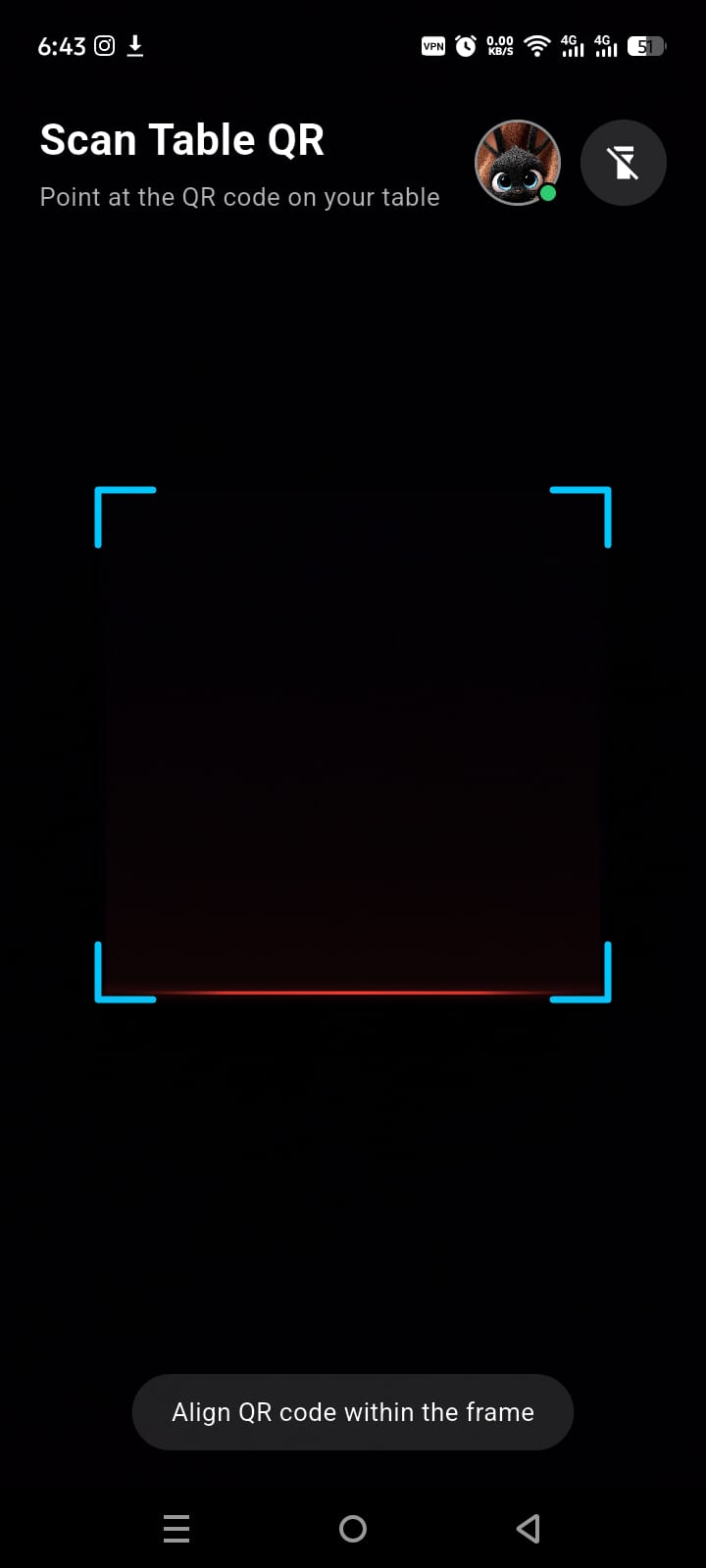
Scan the QR on your table

Every table gets a unique QR code sticker. Guests point their phone camera — no app install needed to browse. The Hotelz guest app unlocks the full ordering experience with real-time updates.
📷 Camera scan No login required Works on any Android
QR code scanning screen in Hotelz app
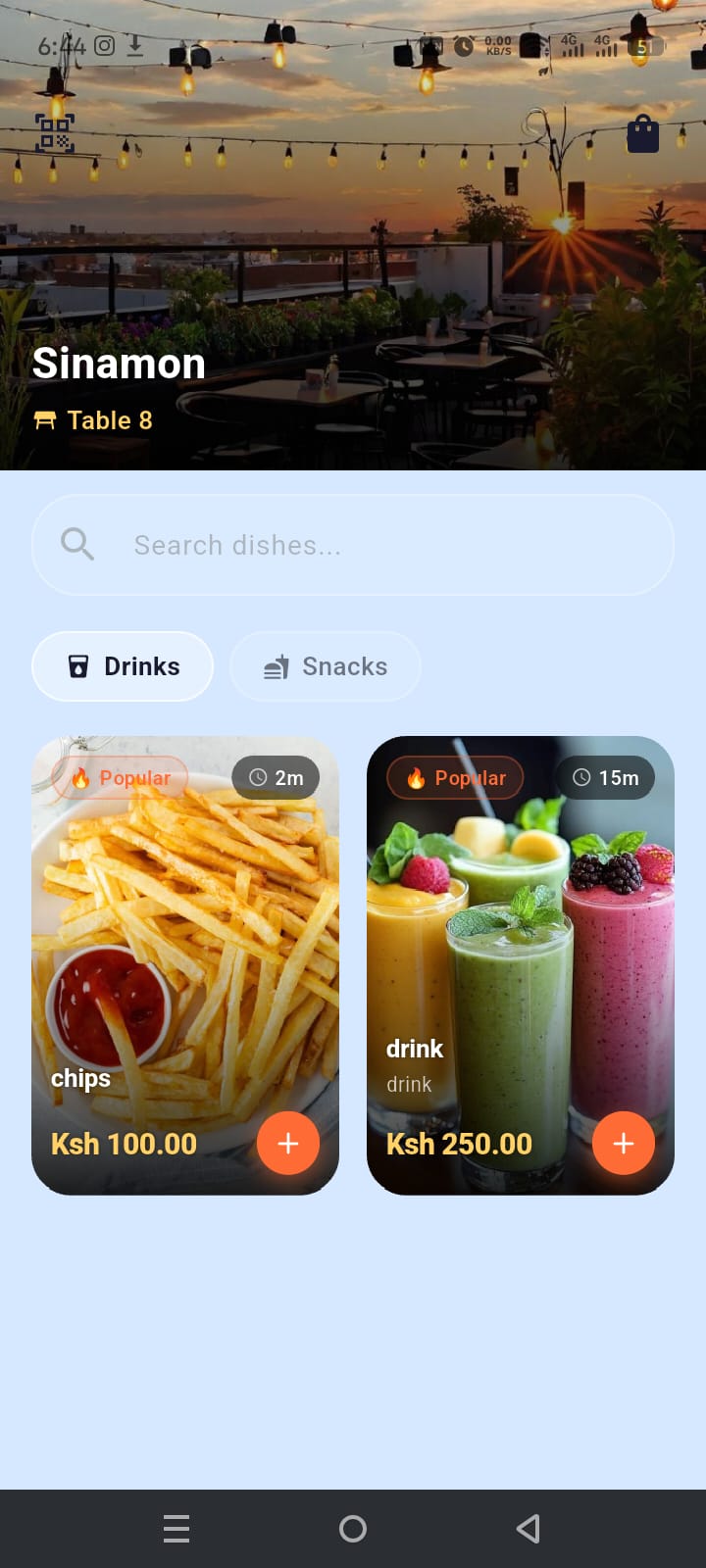
Digital menu screen in Hotelz app
2

Browse a beautiful digital menu

Your hotel's full menu — with food photos, prices in KES, prep times and popular tags — loads instantly after scanning. Guests search, filter by category and add items to their order.

🔥 Popular tags Category filters ⏱ Prep time shown Ksh prices
3

Place the order with one tap

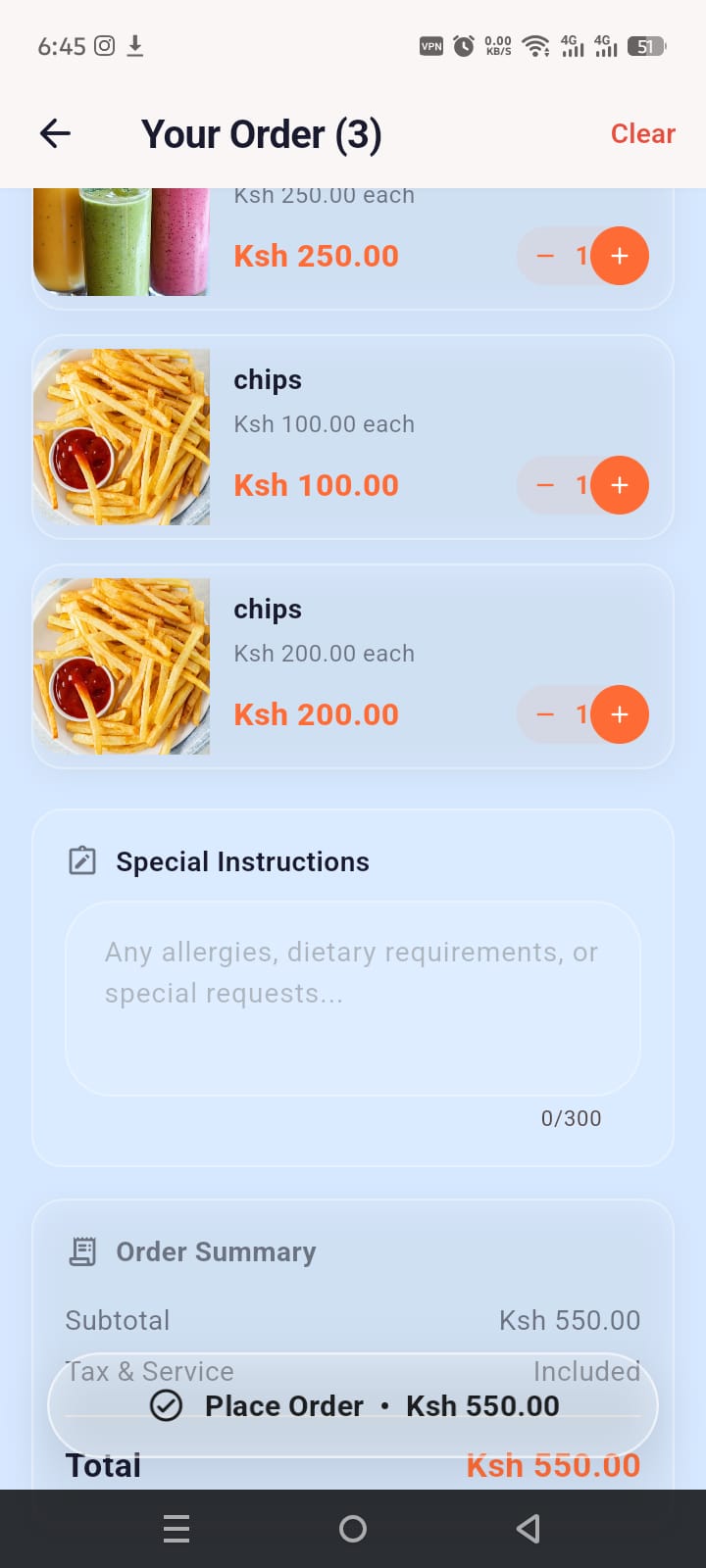
Guests review their cart, add special instructions — allergies, extra sauce, no onions — and tap Place Order. The kitchen receives it instantly on the staff dashboard.
✅ One-tap order Special notes Auto total
Order cart screen in Hotelz app
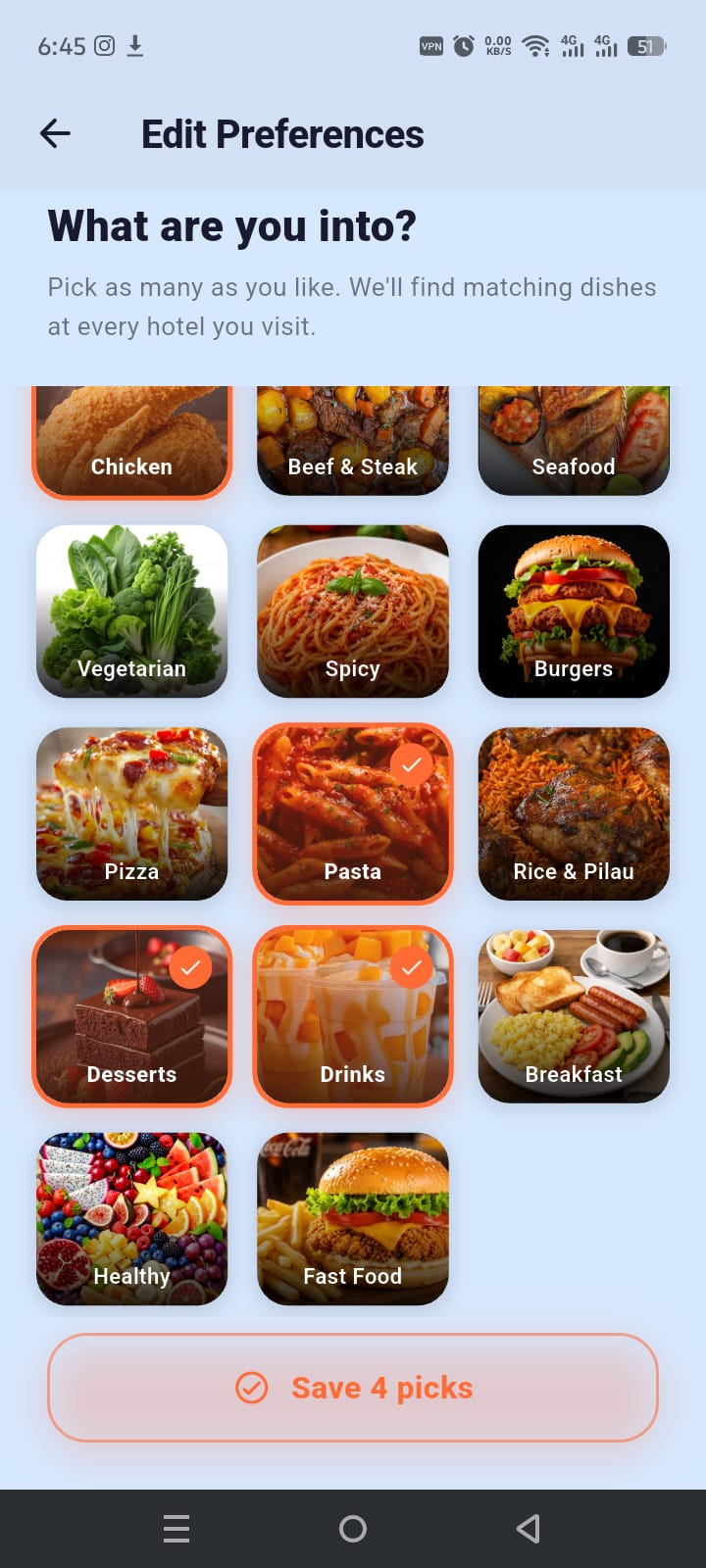
Food preference selection screen
4

Set your taste preferences

Guests pick what they love — Chicken, Spicy, Desserts, Drinks and more. Hotelz remembers their choices and uses them across every hotel they visit to surface the right dishes.

🍕 Personalised picks 11 food categories Saved across hotels
5

Get dishes matched to your taste

Before browsing the full menu, guests see their personalised suggestion feed — dishes that match their saved preferences, pulled from that hotel's live menu. Discovering food made easy.
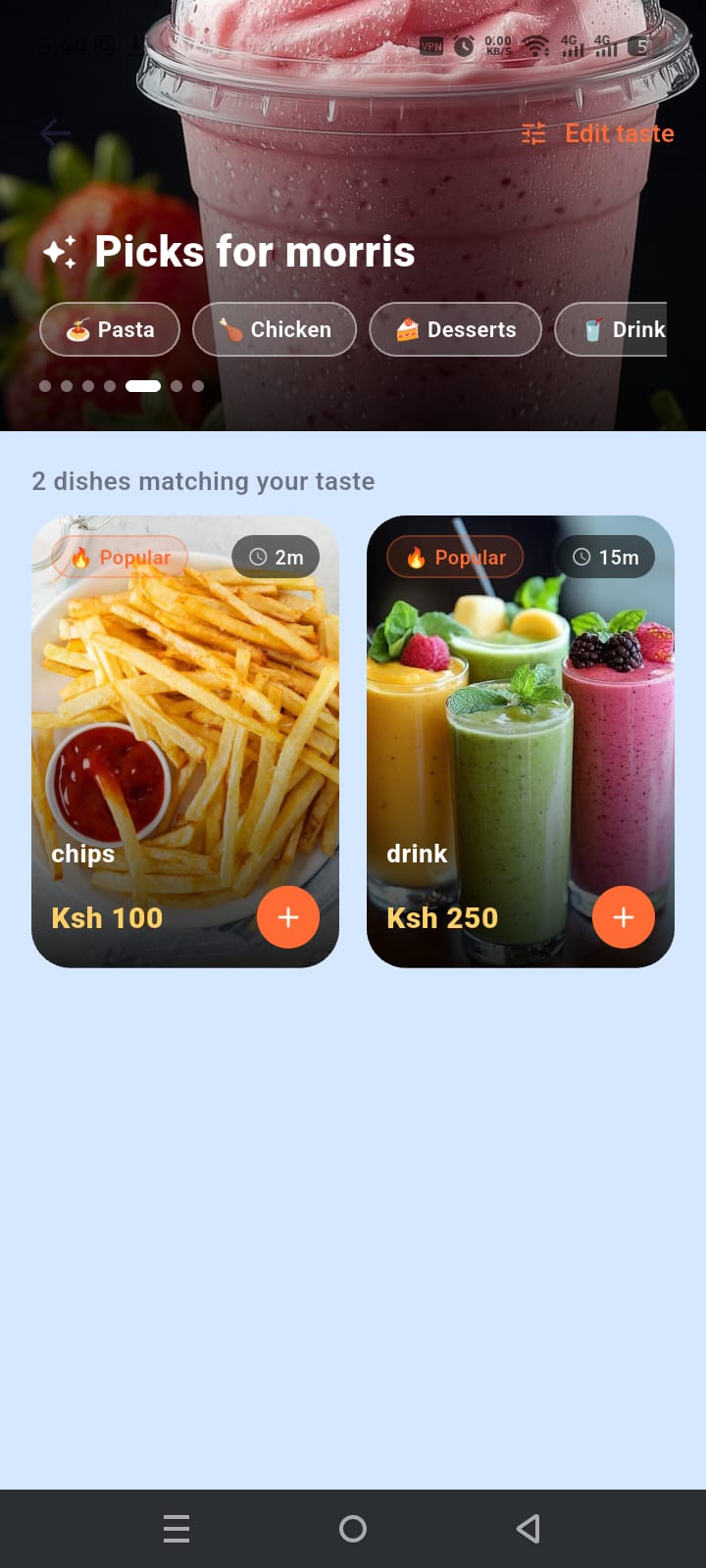
✨ AI suggestions Live menu sync Edit taste anytime
Personalised food suggestions screen
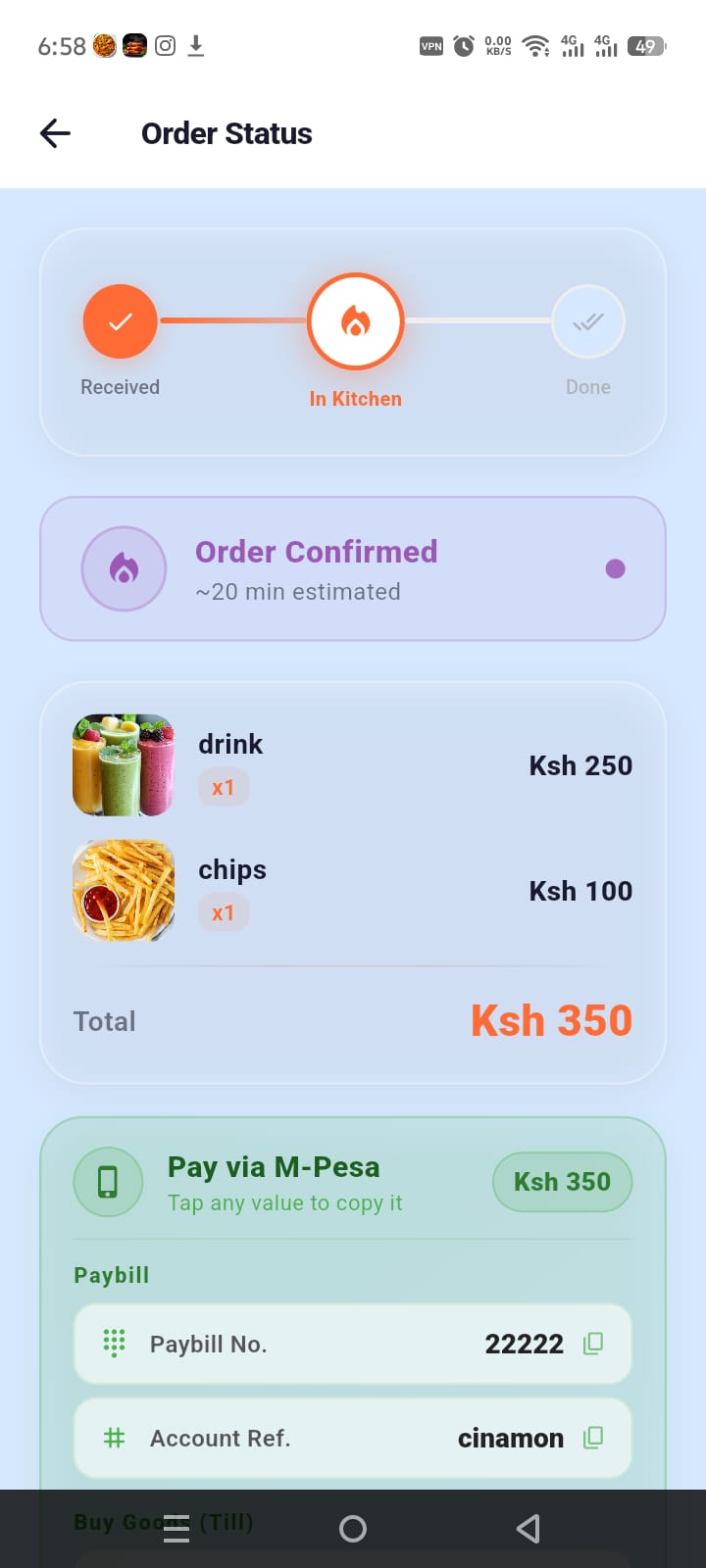
Order status and M-Pesa payment screen
6

Track your order & pay via M-Pesa

Guests watch their order move through Received → In Kitchen → Done in real time. When ready, the M-Pesa payment details — Paybill, Account Ref, Till number — appear with tap-to-copy.

📲 M-Pesa ready Real-time tracking Push notifications Tap to copy

Built for Kenya

Everything a restaurant needs

For your staff, for your guests, for your growth.

📊
Live Order Dashboard
Kitchen and managers see every order the moment it's placed. Update status, set prep times, hide completed orders — all from the Hotelz Staff app.
🍽️
Menu Manager
Add categories, upload food photos, set prices in KES, mark items unavailable — all in real time. Changes reflect instantly on guest phones.
📲
M-Pesa Integration
Display your Paybill, Till number or Account Ref on the order status screen. Guests tap to copy and pay — no POS terminal required.
🔔
Push Notifications
Guests get a push notification when their order is confirmed, in the kitchen, and ready — even if the app is closed or the phone is off.
📈
Revenue Analytics
Managers see daily revenue, top dishes, table performance and order counts. Everything you need to make smarter menu decisions.
🔐
Fingerprint Login
Staff log in with a Hotel ID + PIN or fingerprint. No passwords, no forgotten accounts. Biometric support on all modern Android phones.

FAQ

Common questions

Do guests need to install an app to order? ▾
Guests can scan the QR and browse the menu instantly. To place and track orders they download the free Hotelz Guest app — it takes under a minute.
Is Hotelz free for restaurants? ▾
Hotelz has a free trial period. After that, a small monthly subscription gives you unlimited orders, staff accounts and analytics. Contact us to discuss pricing for your hotel.
Does it work without internet? ▾
Both apps require internet to sync orders in real time. A stable 4G or WiFi connection is recommended. Orders placed when briefly offline will retry automatically.
How do I get QR codes for my tables? ▾
After registering your hotel, the Hotelz dashboard generates printable QR codes for every table. Print them, laminate them, place them — done.
Which phones are supported? ▾
Hotelz works on any Android phone running Android 6.0 or newer. iOS support is coming soon.
How do I register my hotel? ▾
Tap "Register Hotel" on the main Hotelz website. Fill in your hotel details and our team will activate your account within 24 hours. It's free to register.